

Cloud backups.
Planned recovery.
Local support.
Keep an off-site copy of the data your business depends on. Judah Technologies helps set up and manage cloud backups for computers and servers, with backup schedules, monitoring, and recovery support built around your systems and priorities.
Cloud backup setup and support in Statesboro and Southeast Georgia.
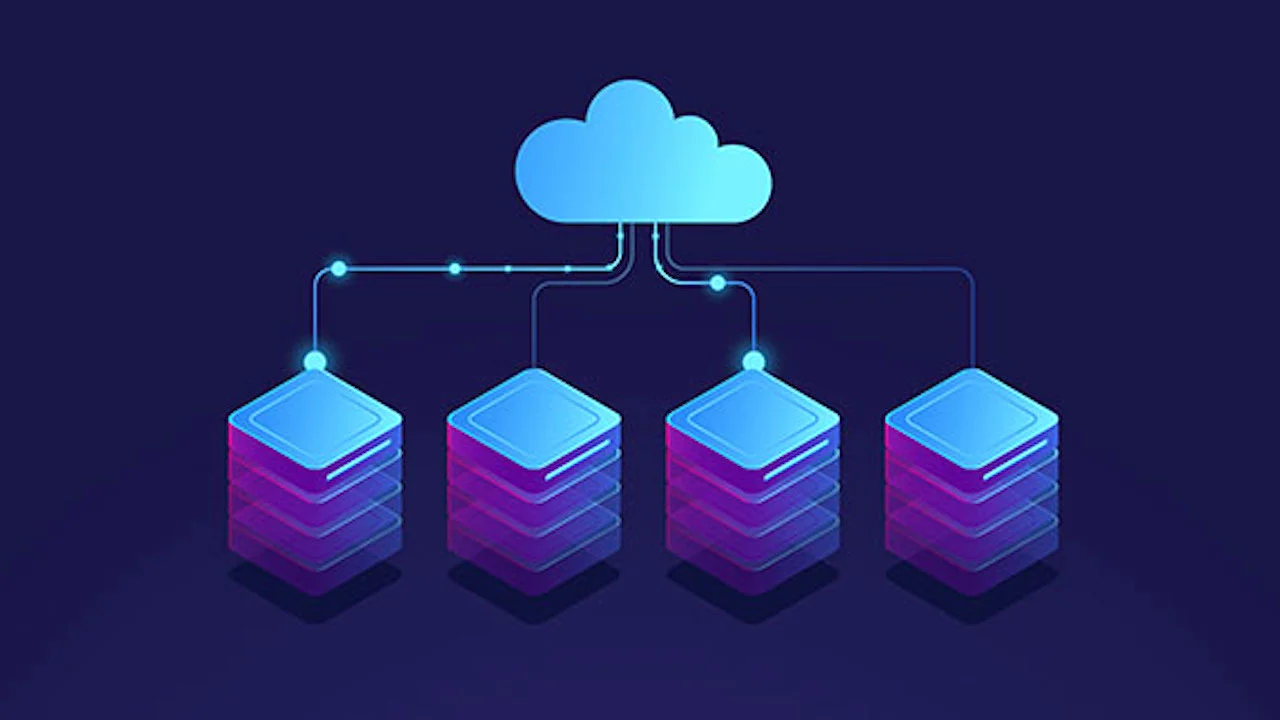
Know what is backed up. Understand what can be restored. Have a plan for getting back to work.
Start with what your business needs to recover.
A useful backup plan starts with the files, applications, and systems your team relies on. We help identify what needs protection, choose an appropriate backup approach, and set schedules and retention around your business needs.
From a single workstation to a server supporting your office, we review backup results and plan restore checks within your service scope. We also explain the dependencies and practical steps involved in recovering data when you need it.
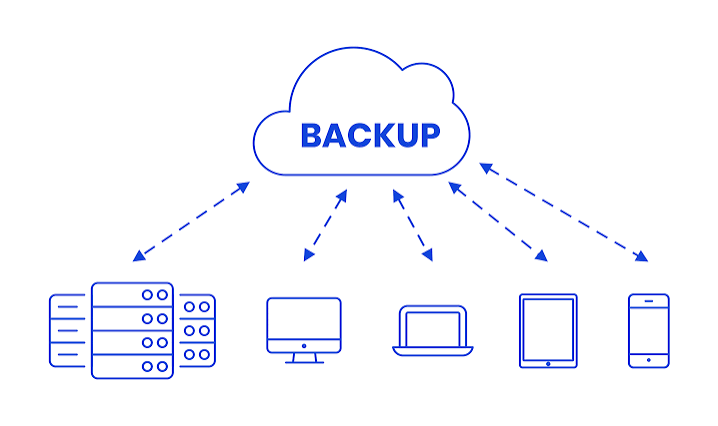
Backup support from your desktop to your server.
Plan your coverage, keep an eye on backup jobs, and prepare for file or system recovery with help from Judah Technologies.
Back up the work stored on your computers.
We help configure backups for business desktops and laptops, focusing on the selected files, folders, and supported system data your team needs to recover.
- Review of important documents and selected workstation data
- Scheduled backups suited to device availability and connectivity
- File or system-image backup options where supported
Plan coverage for the systems behind your business.
Servers often hold shared files and run essential applications. We review supported workloads and their requirements before configuring a backup approach.
- Windows Server and supported virtual-machine backup planning
- Shared files, server volumes, and application backup requirements
- Backup scheduling around server workloads and business hours
Decide where backups live and how long they stay.
We help select cloud storage and retention settings that fit your data volume, recovery needs, and chosen backup platform.
- Off-site storage capacity and cost planning
- Retention periods and historical backup versions
- Encryption, account access, and deletion-protection options
Give backup jobs ongoing attention.
A backup job needs follow-up when it fails, stops running, or runs out of space. We review results and investigate issues under your agreed monitoring schedule.
- Backup status, failure alerts, and missed-job review
- Storage capacity and connectivity troubleshooting
- Coverage reviews when devices or business data change
Get help using the backups you have.
When data is deleted or equipment fails, we help assess available restore points and plan recovery for the files or supported systems involved.
- Selected file, folder, and earlier-version restores
- Supported system or virtual-machine recovery assistance
- Restored-data checks and coordination with your team
Practice the steps before they become urgent.
We help prioritize what needs to come back first and arrange restore tests within your scope, so recovery planning goes beyond a successful job notification.
- Scheduled restore tests for selected files or systems
- Recovery priorities, dependencies, and procedure documentation
- Review of local, off-site, and additional backup-copy options
Covered devices and data, backup frequency, retention, storage, monitoring, restore testing, and recovery work are defined in your service scope. Available backup and recovery options depend on the selected platform and supported systems.
Clear coverage.
Regular checks.
A recovery plan.
You should understand what your backup service covers, how issues are handled, and what is involved in restoring your business data.
- Backup planning shaped around your computers, servers, and priorities.
- Clear explanations of coverage, retention, and recovery options.
- Monitoring and restore checks defined in your support scope.
- Local guidance from Statesboro, Georgia.


A backup should come with a plan to restore.
If you are unsure which files or servers are backed up, start with a review. We can help identify gaps, check your existing approach, and plan backup coverage and restore testing around the data that matters to your business.
Questions about computer and server cloud backups?
Understand what your backup plan includes, how long copies are kept, and what affects the recovery process.
Can you back up both computers and servers?
Yes. We can plan cloud backups for supported business computers, Windows servers, and virtual machines. Coverage depends on the operating systems, applications, and backup platform involved. We identify the devices and data to include, and confirm whether file-level, system-image, or application-aware backups are appropriate and supported.
How often will backups run, and how long are they kept?
Backup frequency and retention are agreed as part of your service scope. We consider how frequently your data changes, how much recent work you could afford to lose, available connectivity, storage needs, and budget. Retention determines how far back available recovery points extend, subject to successful backup jobs.
Is cloud file syncing the same as a backup?
File syncing keeps content aligned between locations, so changes or deletions may also sync. Some services offer version history or recovery features, but their coverage and retention vary. A backup plan separately defines what is copied, which recovery points are kept, and how restoration will be tested.
How long does it take to restore data?
Recovery time depends on the amount of data, internet speed, available restore points, equipment, and the applications involved. Restoring a few files can be very different from rebuilding a server. We review recovery priorities and test selected restores to help set practical expectations.
Do you monitor and test the backups?
Monitoring and restore testing can be included in your backup service. The scope defines how results and alerts are reviewed, how issues are handled, and what tests are scheduled. A successful backup notification alone does not confirm that every application or system will recover as expected, which is why planned restore checks matter.
Back up your data.
Plan your recovery.
Tell us about your computers, servers, and current backup setup. Judah Technologies will follow up to discuss the data you need to protect, your recovery priorities, and the next steps.
- Cloud backups for supported computers and servers.
- Monitoring, retention, and restore-testing options.
- A clear scope for backup coverage, storage, and support.
Tell us what you need to back up.
We will use these details to respond to your request. Please do not include passwords or sensitive account information.